
Last updated: Feb, 2026
Outfunnel is designed to bring sales and marketing efforts together seamlessly. Let’s explore the top benefits and use cases of this platform for new users:
1. Increase productivity by automating contact syncing
- Keep your sales and marketing contact lists in sync 24/7 – save time and never export-import .csv files again.
2. Give sales real-time insight into lead engagement
- Record marketing engagement data (email opens, clicks, unsubscribes, web visits, scheduled Calendly meetings, etc.) in your CRM, so sales has full context and can sell smarter.
- See what leads do on your website with web visitor tracking software.
3. Sync new web leads and meetings to your CRM
Capture new leads from your website, lead ads, and scheduled Calendly meetings, and have the right information appear in your CRM.
All of these steps take minutes to set up and help drive results almost immediately.
4. Prioritize leads
- Build lists of qualified opportunities with lead scoring, or by building call lists of people who clicked or opened a particular email, or visited your website.
5. Create custom reporting and handover workflows with our Google Sheets, Monday and Airtable integrations
- Custom reporting: sync CRM contacts, deals, activities, and custom fields into Sheets or Airtable to build tailored dashboards and ad-hoc analysis.
- Sales handover workflows: automatically push MQLs, PQLs, meeting bookings, or form submissions into a shared Monday/Airtable pipeline for review, routing, and assignment.
- Operational workflows: track onboarding steps, campaign launches, account plans, renewals, and partner leads in Monday/Airtable—while keeping the CRM updated as the system of record.
6. Trigger campaigns and workflows across all your tools
- Launch workflows straight inside Outfunnel, or create triggers for your CRM and marketing tools for sending campaigns to defined segments.
7. See what drives revenue
- Automatically capture lead source data in your CRM.
- See which channels and pages lead to new deals and sales revenue.
1. Sync contacts between sales and marketing apps
Often, when you’re setting up a marketing campaign, there’s a bit of last-minute scrambling to extract the list.
For example, you may want to…
- Add recently joined customers;
- Exclude people that you’ve parted ways with;
- Exclude very VIP customers that Account Managers keep up-to-date;
- Be sure to remove people who have unsubscribed from your marketing emails.
With Outfunnel you can define such lists in your CRM once and then forget about the need to ever extract another list. Your campaigns will be sent to the right segments based on data changes in the CRM.
All you need to do is define recipients for your marketing campaign in the CRM and use our App connector to keep these in 2-way sync with lists in your marketing automation tool.
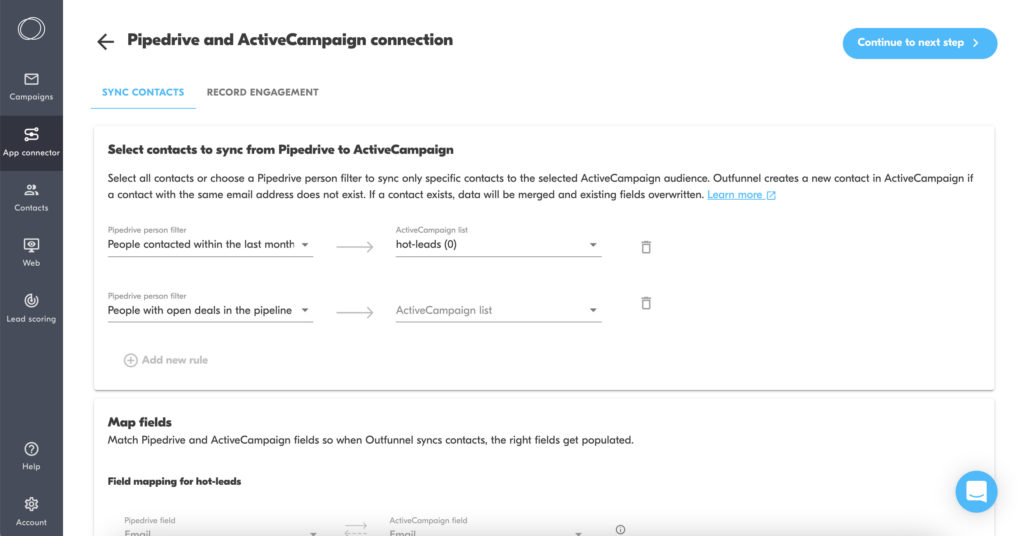
Once this is done, any new people that start matching the relevant segment in your CRM will be added to your email marketing tool’s lists or audiences, along with key fields. And you can then either send regular campaigns to an always-up-to-date list or trigger automated campaigns.
2. Give sales real-time insight into lead engagement
As a salesperson, wouldn’t it be great to see which emails people that I want to speak to have received, opened, and clicked?
With Outfunnel you can have all email engagement data (opens, clicks, unsubscribes, etc.) recorded in your CRM. In this way, your salespeople have the full context for the leads.
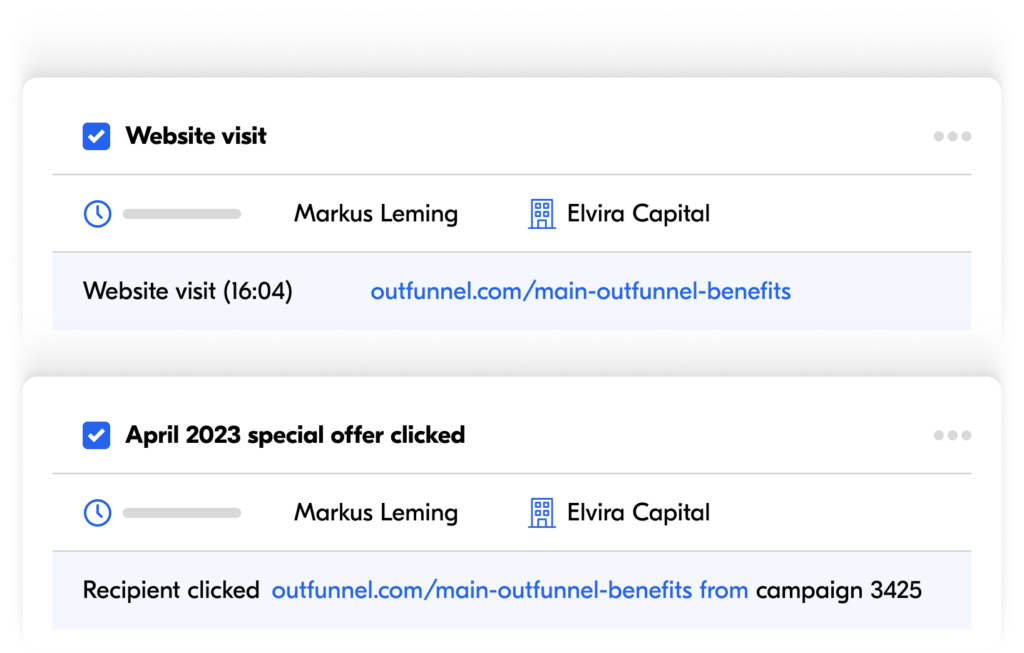
The best part? Setup takes just minutes. All you need to do is set up an app connection between your CRM and email marketing tool, and configure how you want email engagement to be recorded. For example, you can:
- Have a custom activity “Campaign sent”, “Campaign opened” or “Campaign clicked” recorded in your CRM when people engage with emails.
- Have unsubscribes and even bounces recorded in your CRM, so you can plan follow-up activities.
Whenever emails get sent out, all the engagement will be visible in your CRM.
Use web tracking to see which pages and content your leads visit on your website
Our Web visitor tracking software feature, or simply Web tracking as we call it, shows you which of your leads are visiting your website, and which pages of your website. This way you’ll know who appears more interested in your products and services, and more ready to buy.
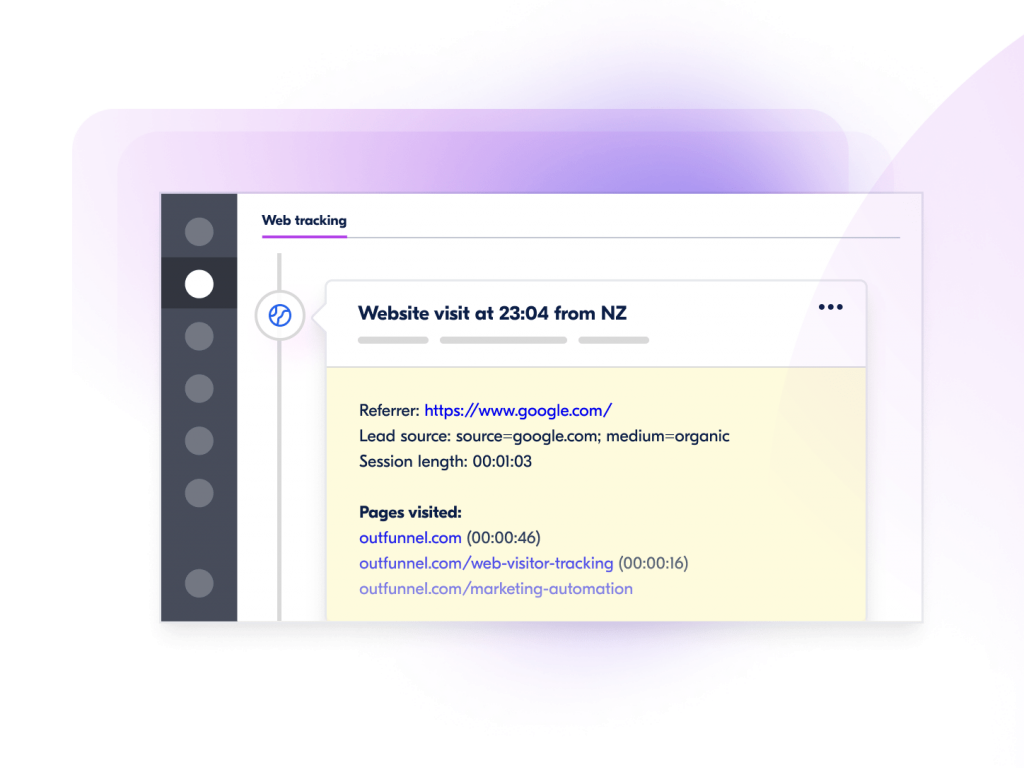
You can have this information automatically synced to contacts in your CRM. Here’s how:
3. Capture new web leads in your CRM
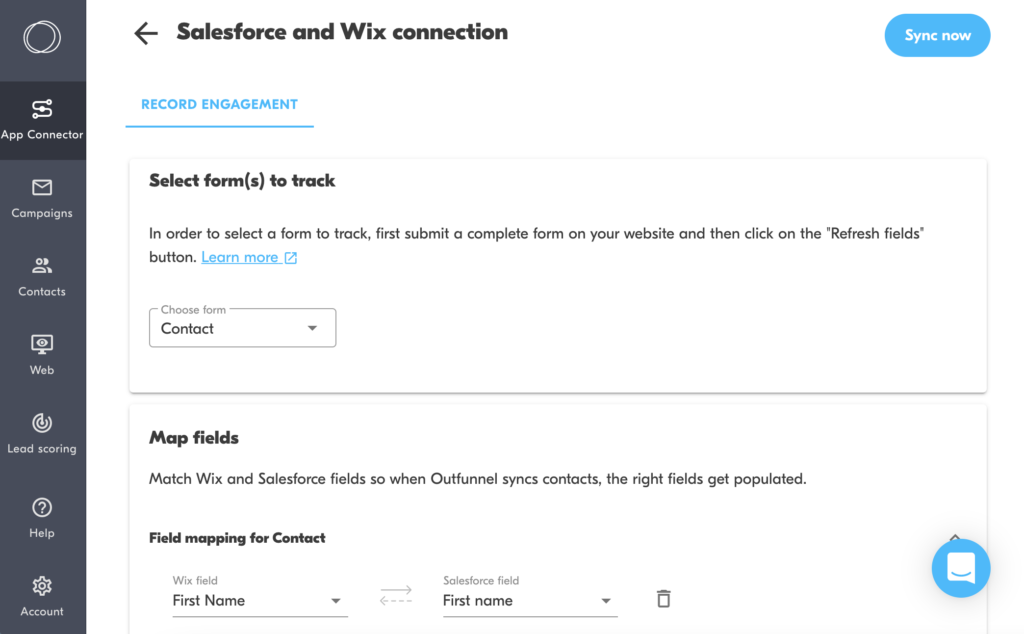
Among other marketing tool integrations, we’ve made it easy to connect your web forms and lead ads with your CRM, along with custom fields. So, you can use our App connector to set up the lead capture integration with your CRM. Learn more:
- Connecting Calendly with your CRM
- Connecting Facebook Lead Ads with your CRM
- Connecting WordPress forms with your CRM
- Connecting Wix forms with your CRM
- Connecting LinkedIn Lead Ads with your CRM
4. Prioritize sales-ready leads
If you’ve configured Outfunnel to record email opens/clicks or website visits as custom activity in your CRM, you can later use its segmenting/filtering functionality to build call lists.
Simply navigate to the Activities tab in your CRM, define the date range, and choose either “Campaign Opened”, “Campaign Clicked” or “Website visit” as the activity to be filtered.
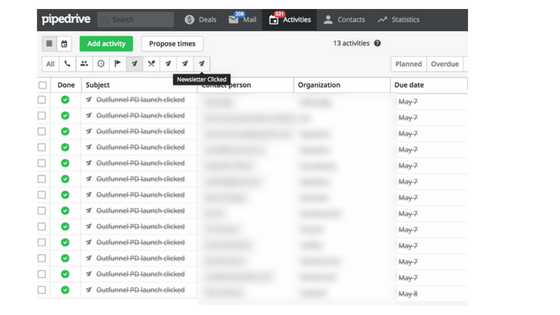
Smart salespeople find ways to qualify leads even before having a conversation, and email clicks or website visits are great proxies.
Alternatively, our Lead scoring software feature auto-calculates a score for each contact based on how they’ve engaged with your emails and what they’ve done on your site. This score is then recorded in your CRM.
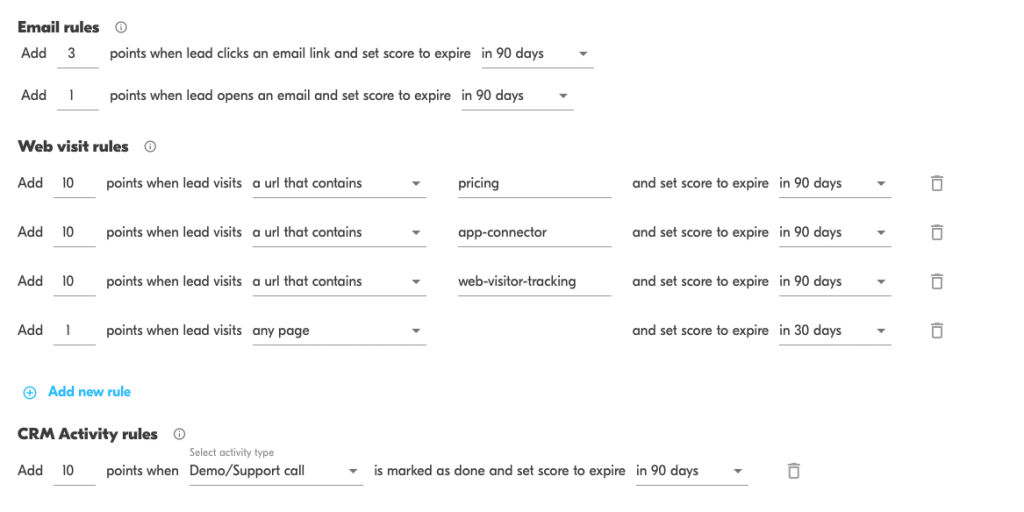
Read how to set up and use our Lead scoring feature
5. Create custom reporting and handover workflows with our Google Sheets, Monday and Airtable integrations
Modern sales and marketing teams need more flexibility than what native CRM and marketing automation features can offer. Even with a great tech stack, real-life workflows tend to spill into tools like Google Sheets, Airtable, and Monday.com—because they’re fast to customize, easy to share across teams, and perfect for lightweight internal processes.
With Outfunnel, you can connect these tools to your CRM and/or marketing platform so your data flows where it needs to—without manual exports, copy-pasting, or “version-of-the-truth” confusion.
Common use cases include:
- Custom reporting: sync CRM contacts, deals, activities, and custom fields into Sheets or Airtable to build tailored dashboards and ad-hoc analysis.
- Sales handover workflows: automatically push MQLs, PQLs, meeting bookings, or form submissions into a shared Monday/Airtable pipeline for review, routing, and assignment.
- Operational workflows: track onboarding steps, campaign launches, account plans, renewals, and partner leads in Monday/Airtable—while keeping the CRM updated as the system of record.
- Team-wide visibility: give stakeholders access to the data they need (without CRM licenses or complex permissions) while ensuring your CRM stays clean and current.
In short: if your team relies on Sheets, Airtable, or Monday to run parts of your go-to-market process, Outfunnel helps you connect those workflows to your CRM or marketing automation tool so the handoffs are automatic and your reporting stays reliable.
Check out our Airtable integrations, Monday integrations, and Google Sheets integrations.
6. Trigger the next campaign or sales action
Using elaborate workflow automation in your CRM for planning the next action with each lead? Outfunnel can provide the right triggers for following up with leads based on new engagements recorded in your marketing tools:
- Update content of custom fields/properties
- Create Tasks and Activities
- Update labels and tags
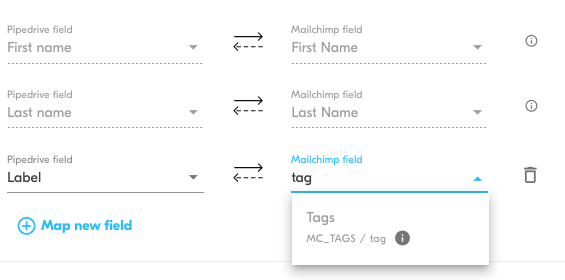
Read how to create follow-up activities in your CRM for engaged leads
7. See what’s driving sales
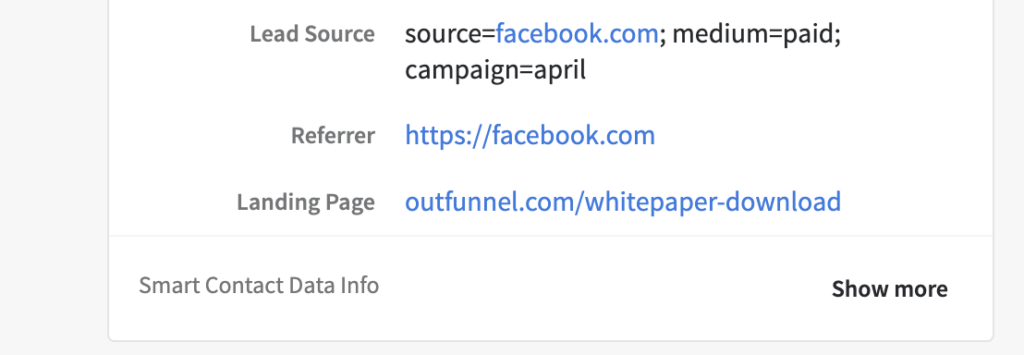
If you’re using our Web tracking functionality, Outfunnel will automatically record source and medium data of that contact’s first visit in your CRM. This way you can use lead source data in the built-in reports of your CRM, or export it for further analysis in your favorite neighborhood spreadsheet or BI tool.
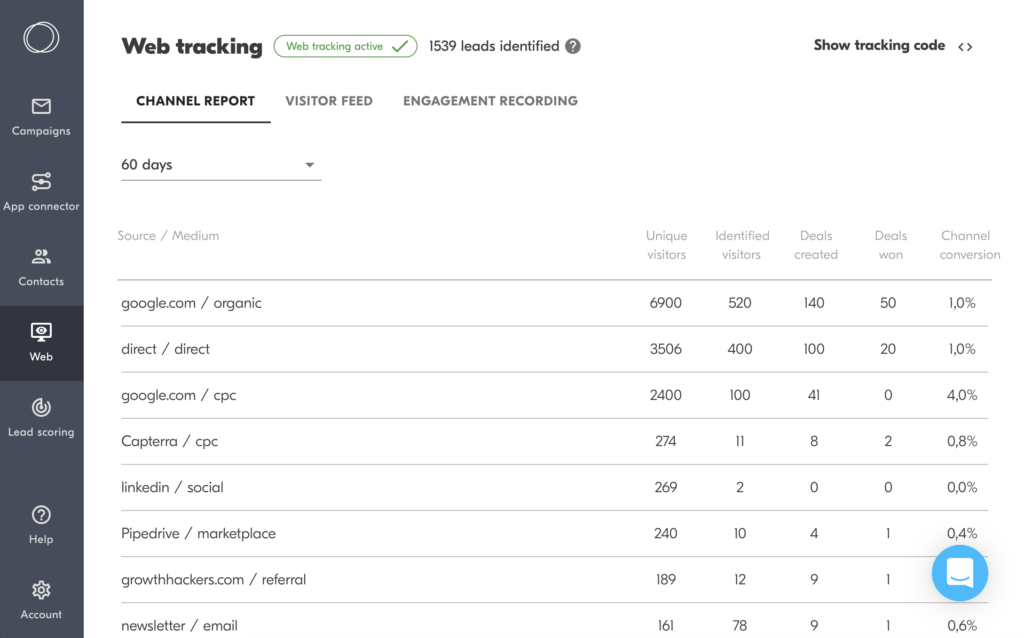
Furthermore, our channel report shows an aggregate view of contacts that web tracking has identified, split by traffic source. The report also shows you new deals/opportunities that have been created and won for every channel, as well as the conversion rate.
Find it under Web > Channel report.
Ready to connect your data and start executing sales and marketing workflows across tools?
All of the above features are quick to set up and we’re happy to assist if you’d like someone to help get things up and running.